Author: Keelmark Digital

  • Generative Engine Optimization (GEO): How Small Businesses Get Found in AI Search

    Generative Engine Optimization (GEO): How Small Businesses Get Found in AI Search

    The way people look for a local business is quietly changing. Instead of typing a few words into Google and scanning ten blue links, more and more of them are asking a full question to an AI assistant. They ask ChatGPT for the best web designer in their town, they read Google’s AI Overview at the top of the results, or they let Perplexity hand back a short list with sources. In each case the person gets one answer, not a page of options. Generative Engine Optimization, or GEO, is how you make sure your business is the one that answer names.

    What is Generative Engine Optimization?
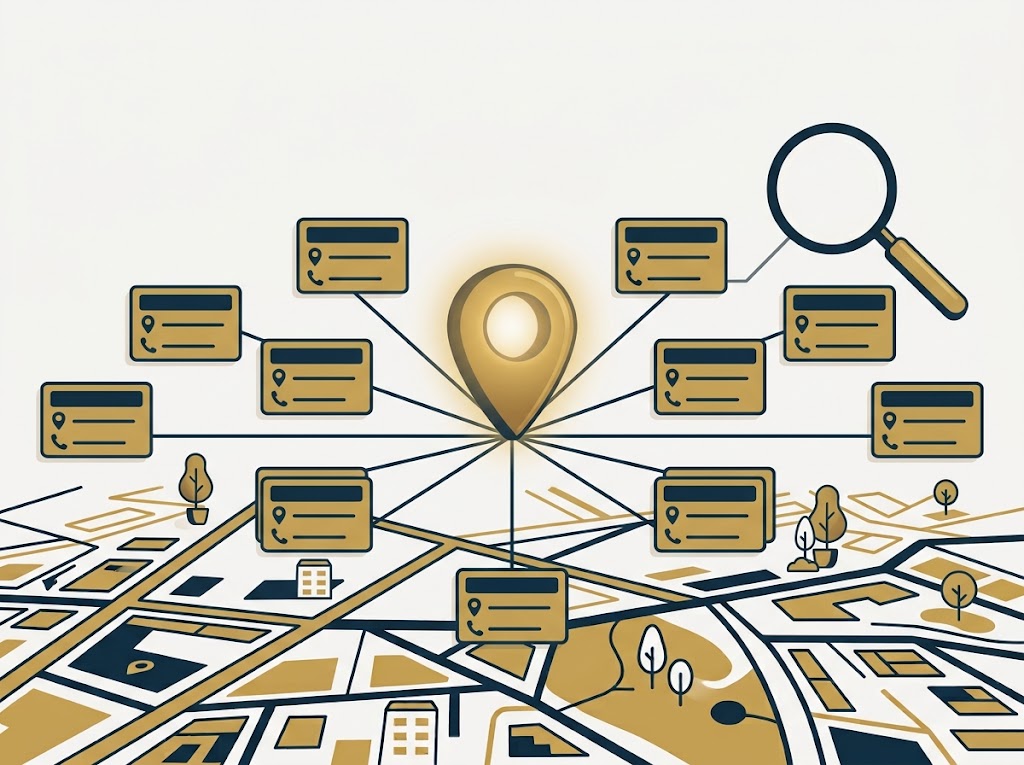
    Generative Engine Optimization GEO for small business

    GEO is the practice of shaping your online presence so that AI answer engines cite and recommend you. Traditional SEO is about ranking a page so a person clicks it. GEO is about becoming the trusted source the AI pulls from when it writes its answer. The engines doing this are already mainstream: Google AI Overviews and AI Mode, ChatGPT search, Google Gemini, Perplexity, and Microsoft Copilot. When one of them answers a question like “who builds websites for small businesses near me,” it is making an editorial choice about which names to include. GEO is how you earn a spot on that list.

    Why it matters now, especially for small businesses

    For a local or service business, the AI answer is becoming the first impression. If someone asks an assistant to recommend three providers in your area and you are not one of the three, you never even get the chance to compete for the click. That is a very different risk from ranking on page two of Google. Page two still exists; the AI short list does not have a page two. The good news is that most small businesses have not thought about this yet, so there is real room to get ahead early.

    GEO and local SEO are cousins

    Here is the reassuring part. GEO is not a brand new discipline that throws out everything you have built. AI engines lean on the same trust signals that power local search: a consistent name, address and phone number across the web, genuine reviews, clear structured information about what you do and where you do it, and mentions on sites the engines already trust. If you have been building accurate local citations and collecting reviews, you have already laid the GEO foundation. The work now is to make that information easy for a machine to read and quote.

    A practical GEO checklist for small businesses

    You do not need a huge budget to start. A handful of deliberate moves cover most of the ground:

    • Answer real questions directly. Write in a clear, answer-first style. Lead with the answer, then explain. AI engines quote the sentence that states the point plainly.
    • Keep your business details identical everywhere. Your name, address and phone should match exactly on your site, Google, Bing, Apple Maps and every directory. Conflicting details make an engine trust you less.
    • Add structured data. Schema markup (LocalBusiness, FAQ, Service) tells the engines what you are and what you offer in a format they read cleanly. A good SEO plugin such as AIOSEO handles this without you touching code.
    • Earn reviews and mentions. Reviews on trusted platforms and mentions on reputable local sites are exactly the sources AI engines cite. Ask happy clients, and get listed where your industry lives.
    • Publish specific, useful content. Depth and specificity beat fluff. A page that genuinely answers “how much does a small business website cost in 2026” is far more quotable than a vague services page.
    • Show who you are. A real about page, named authors, credentials and a clear location all signal the experience and trust that engines weigh heavily.

    The bottom line

    Search is not disappearing, it is being summarized. The businesses that win the next few years will be the ones an AI is comfortable recommending by name, and that comfort is built on the same fundamentals as strong local SEO, made machine-readable. If you already have a solid website and clean listings, GEO is a natural next step rather than a fresh start. If you are not sure where you stand, that is exactly the kind of groundwork we handle. Start a project with Keelmark Digital and we will get your business ready to be the answer.

    For the groundwork GEO builds on, see our guides to local SEO for small business and how local citations work.

    This post contains affiliate links. If you buy through them Keelmark may earn a commission at no extra cost to you.
  • The Best Social Media Tools for Small Business in 2026 (Scheduling, Analytics & Growth)

    The Best Social Media Tools for Small Business in 2026 (Scheduling, Analytics & Growth)

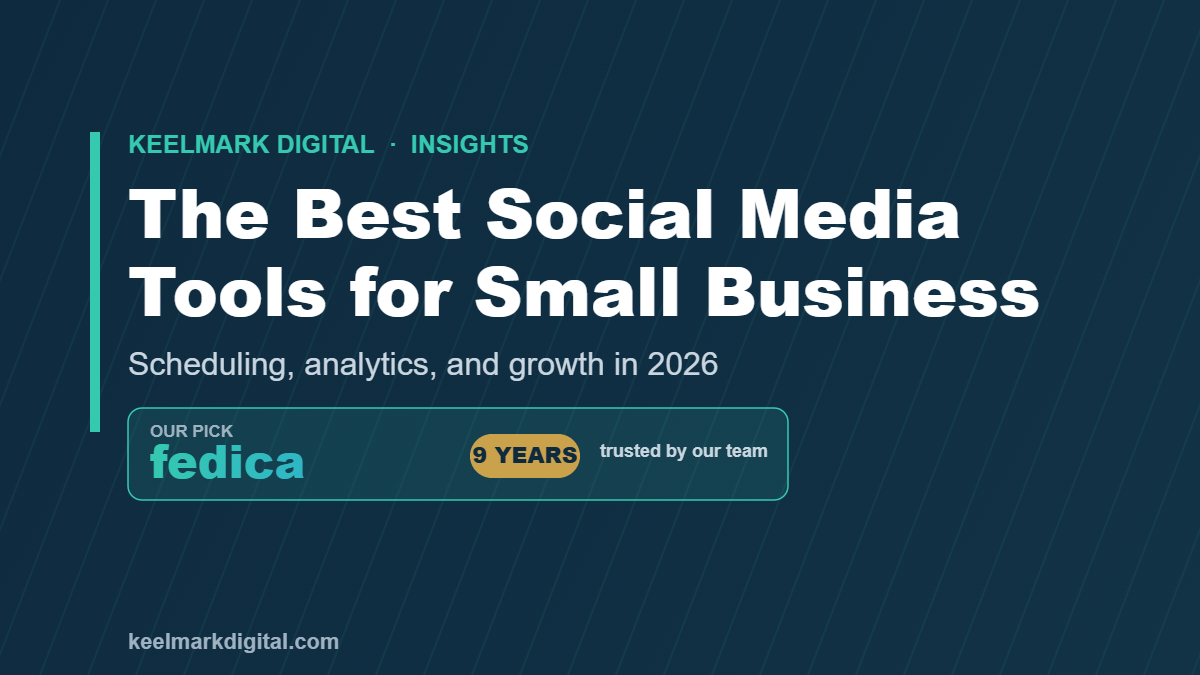
    Social media can be one of the best free ways to bring in local customers, but it can also swallow your entire week if you let it. The businesses that win on social are not the ones posting around the clock; they are the ones using the right tool to plan, schedule, and measure their posts in a fraction of the time. This guide covers what to look for in a social media tool, and the one we have relied on ourselves for nine years.

    This post contains affiliate links. If you buy through them, Keelmark may earn a small commission at no extra cost to you. We only recommend tools we use ourselves.
    Why Social Media Still Matters for Small Businesses

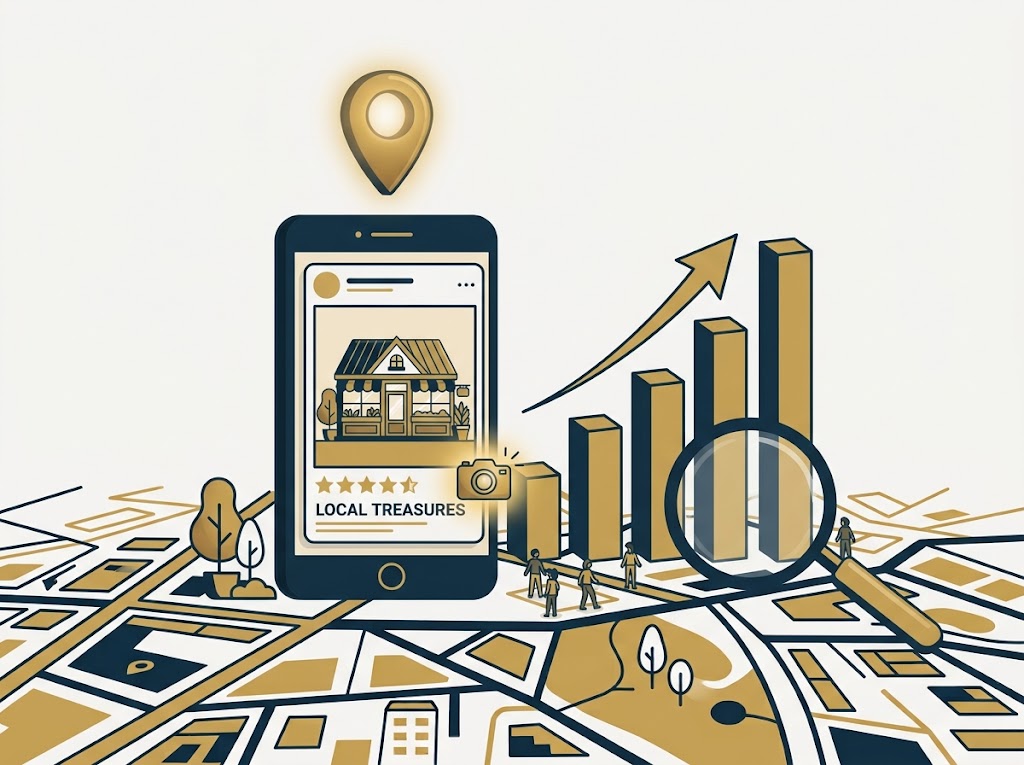
    Best social media tools for small business in 2026, featuring Fedica for scheduling and analytics

    For a local business, social media does two jobs. It keeps you visible to the customers who already follow you, and it feeds the trust signals that help you get found. A steady stream of real posts, photos, and replies tells both people and search engines that you are active and legitimate. It also pairs naturally with the rest of your local SEO: the same photo you post to Instagram can go on your Google Business Profile, where it directly lifts visibility.

    The catch is consistency. Posting once and then going quiet for a month does nothing. That is exactly the problem a good social media tool solves.

    What to Look For in a Social Media Tool

    You do not need the most expensive platform, you need one that saves time and shows you what is working. The features that actually matter for a small business are scheduling across all your accounts from one place, a calendar view so you can plan a week or a month at once, analytics that tell you which posts drove engagement, audience insights so you know when your followers are online, and a price that fits a small business budget. Anything beyond that is a bonus.

    Our Pick: Fedica (We Have Used It for 9 Years)

    We recommend Fedica, and this is not a tool we grabbed off a list. Our team has used Fedica for nine years, which is about as real as a recommendation gets. It handles the essentials well: scheduling and publishing across your social accounts, a clear content calendar, and genuinely useful analytics and audience insights, including the best times to post so your content lands when people are actually watching. For an owner who wants to stay consistent without living inside five different apps, it does the job.

    Because we use Fedica ourselves across our own accounts, the recommendation comes from years of real day-to-day use, not a quick trial.

    A Simple Posting Routine That Will Not Burn You Out

    Here is the routine we suggest to clients. Set aside one hour, once a week. Use that hour to schedule your posts for the whole week ahead in your calendar, mixing photos of real work, a customer review or two, a helpful tip, and the occasional offer. Let the tool publish them on schedule while you get back to running the business, then spend a few minutes in the analytics to see what landed. That is it. One focused hour beats scattered daily scrambling every time.

    Pair It With Your Google Business Profile

    Social media works best alongside your other local-SEO basics. If you have not already, work through Your Google Business Profile Is Live. Now Do These 5 Things. and fold GBP posting into the same weekly hour, since we explain why it matters in Why Google Business Profile Posts Boost Your Visibility. If you are earlier in the journey, Local SEO Explained ties the whole picture together.

    Getting Started

    Pick your tool, connect your accounts, and block that first weekly hour on your calendar. If you would rather have all of this set up and running for you, from your website to your social presence, that is what we do. Start a project with Keelmark and we will get your whole online presence pulling its weight.

  • How to Start a Business Website: A Step-by-Step Guide for Small Business Owners

    How to Start a Business Website: A Step-by-Step Guide for Small Business Owners

    Starting a business website can feel like a wall of decisions: domain, hosting, platform, design, and a dozen tools that all claim to be essential. It does not have to be complicated. This guide walks through building a small business website the same way we do it for clients, step by step and in plain English, so you end up with a site that brings in customers instead of just sitting there. Whether you build it yourself or hand it off, you will know exactly what needs to happen and why.

    This post contains affiliate links. If you buy through them, Keelmark may earn a small commission at no extra cost to you. We only recommend tools we use ourselves.
    Start With the Goal, Not the Design

    How to start a business website: step-by-step guide for small business owners

    Before you pick a single color or template, get clear on what the website is for. For most local businesses the job is simple: show up when someone searches, prove you are legitimate and trustworthy, and make it easy to call, book, or visit. Pin down the one action you most want a visitor to take, whether that is a phone call, a form, or a reservation. Every choice after this, from your homepage layout to your call-to-action buttons, gets easier once that goal is set.

    And ranking well genuinely pays off, as we break down in The Real ROI of Ranking #1 vs Page 2 on Google.

    Step 1: Lock Down Your Name and Domain

    Your domain name (the yourbusiness.com address) is the foundation everything else sits on, so secure it early. Keep it short, easy to say out loud, and as close to your business name as you can get. Grab the matching social handles at the same time so your brand stays consistent everywhere. We walk through exactly how to do this in Claim Your Business Name Before Someone Else Does. A .com is still worth paying a little extra for, and a standard domain runs roughly 10 to 20 dollars a year.

    Step 2: Choose a Platform You Will Not Outgrow

    You have options: website builders like Squarespace and Wix, or WordPress. Builders are quick to start but can box you in as you grow. We build client sites on WordPress because it gives you full control, the widest range of tools, and no ceiling on SEO. Whichever you choose, install a proper SEO plugin from day one so every page is set up to rank. We use and recommend All in One SEO, and explain why in The Best SEO Plugin for Small Business WordPress Sites in 2026.

    Step 3: Get Reliable Hosting

    Hosting is where your website actually lives. Cheap, overcrowded hosting is one of the most common reasons small business sites load slowly, and speed affects both your Google ranking and how many visitors stick around. Choose a reputable host with good support, and do not over-buy, because a small business site does not need an enterprise plan. Once you are live, test your load times and fix the basics with our guide to Website Speed and Core Web Vitals.

    Step 4: Plan the Pages You Actually Need

    Most small business sites need far fewer pages than owners expect. Start with five: a Home page that says who you are and what you do, a Services or Products page, an About page that builds trust, a Contact page with your phone, email, and address, and a Reviews or testimonials section. You can always add more later. The mistake is launching with twenty thin pages instead of five strong ones.

    Step 5: Write Copy That Speaks to Customers, Not About You

    Good website copy answers the visitor’s questions fast: what you do, who you help, where you work, and what to do next. Lead with the customer’s problem and how you solve it, then back it up with proof like reviews, photos of real work, and clear pricing or a clear next step. Keep your business name, address, and phone number identical to how they appear on Google and your other listings, because that consistency helps you rank locally.

    Step 6: Build In Local SEO From Day One

    This is the step most DIY sites skip, and it is where the customers come from. Local SEO is how you show up when someone nearby searches for what you sell. At a minimum, claim and verify your Google Business Profile and your Bing Places listing, then make sure your business is listed consistently across the web, which we cover in Local Citations Explained. If the whole idea is new to you, start with Local SEO Explained: A Plain-English Guide.

    Step 7: Turn On the Free Tools That Drive Traffic

    A live website is the start, not the finish. Post to your Google Business Profile regularly, with photos, because it genuinely lifts visibility, as we show in Why Google Business Profile Posts Boost Your Visibility. Right after launch, work through Your Google Business Profile Is Live. Now Do These 5 Things. Then add Google Search Console and Google Analytics so you can see what is working.

    Step 8: Launch, Then Keep It Alive

    Do a final check before you go live: every link works, the site looks right on a phone, your contact details are correct, and each page loads fast. Then publish. The sites that win are the ones that stay active, with fresh photos, the occasional new page or post, and prompt replies to reviews and messages. A neglected site slips down the rankings; a maintained one climbs.

    The Shortcut: Have Keelmark Build It for You

    If reading all that made you want to hand the whole thing off, that is exactly what we do. Keelmark builds fast, search-ready small business websites with local SEO baked in from the first day, so you can focus on running your business instead of wrestling with hosting and plugins. Start a project with Keelmark and we will take it from name and domain all the way to launch.

  • Website Speed and Core Web Vitals: A Small Business Guide (and How to Test Yours)

    Website Speed and Core Web Vitals: A Small Business Guide (and How to Test Yours)

    Here is an uncomfortable truth for any small business owner: most of your potential customers will judge your website in the first two seconds, before they read a single word. If your site is slow, they leave, and Google notices too. The good news is that you do not need to be a developer to understand what “fast” means or to check where your site stands today. This guide explains website speed and Core Web Vitals in plain English, and points you to the free tool Google gives every site owner to test their own site.

    What are Core Web Vitals?

    Website speed and Core Web Vitals guide

    Core Web Vitals are three specific measurements Google uses to score how good your website feels to a real visitor. They are part of how Google ranks pages, and they map neatly onto the things customers actually care about: does it load quickly, does it respond when I tap, and does it stay put while I read. As of 2026 there are three:

    • Largest Contentful Paint (LCP) is loading speed: how long until the main content of the page appears. Aim for 2.5 seconds or less.
    • Interaction to Next Paint (INP) is responsiveness: how quickly the page reacts when someone taps a button or link. Aim for 200 milliseconds or less.
    • Cumulative Layout Shift (CLS) is visual stability: how much the page jumps around as it loads. Aim for a score of 0.1 or less.

    Google sorts every page into “Good,” “Needs improvement,” or “Poor” on each of these. You want all three in the green.

    Why speed matters for a small business

    Two reasons, and they reinforce each other. First, customers are impatient: study after study shows that as a page’s load time climbs, the share of people who give up and leave climbs with it. For a local business, that is a booking, a call, or a walk-in you never got. Second, Google uses these metrics as a ranking signal, so a slow site can quietly cost you visibility in search at the exact moment someone nearby is looking for what you sell. A fast site keeps more of the visitors you already earn and helps you earn more.

    How to check your site (free, from Google)

    You do not have to guess. Google’s PageSpeed Insights runs the same Core Web Vitals tests on any web page and gives you a plain report with a score and a list of what to fix. Paste in your homepage and your most important pages one at a time.

    Test your site free with Google PageSpeed Insights

    Run it on your phone view as well as desktop, since most local searches happen on a phone, and that is the score Google leans on most.

    What usually slows a small business site down

    In our experience building and maintaining sites, the culprits are almost always the same handful of things, and none of them require a rebuild to fix:

    • Huge images. Photos straight off a phone or camera are far larger than a web page needs. Compressing and correctly sizing them is the single biggest quick win for most sites.
    • Cheap or overloaded hosting. Bargain shared hosting can leave your site waiting in line to load. Better hosting often pays for itself in speed.
    • Too many plugins. Every add-on you install has a cost. A pile of half-used plugins drags the whole site down.
    • No caching. Caching serves a ready-made copy of your page instead of rebuilding it for every visitor. A good caching setup can transform load times.
    • Layout shift from ads, banners, or fonts that load late and shove the content around, which is what wrecks your CLS score.

    When to get help

    If you run PageSpeed Insights and see a wall of red, that is normal, and it is fixable. Speed work is exactly the kind of behind-the-scenes maintenance that is easy to put off and easy to hand off. At Keelmark we build fast, mobile-ready sites and keep them that way with hosting, image optimization, caching, and monthly upkeep, so your Core Web Vitals stay in the green without you thinking about it. Start a project and we will tune your site up.

    Frequently asked questions

    What is a good website load time?

    Aim for your main content to appear within 2.5 seconds (that is Google’s “Good” threshold for Largest Contentful Paint). Faster is better, especially on mobile.

    How do I test my website speed for free?

    Use Google PageSpeed Insights at pagespeed.web.dev. Enter any page URL and it reports your Core Web Vitals with specific fixes. It is free and needs no login.

    Do Core Web Vitals really affect Google rankings?

    Yes. They are part of Google’s page experience signals. They are not the only ranking factor, but a slow or unstable site can hold you back, and a fast one helps.

    What is INP and what happened to FID?

    Interaction to Next Paint (INP) measures how quickly your page responds to taps and clicks. It replaced the older First Input Delay (FID) metric as a Core Web Vital, so INP is the responsiveness number to watch now.

  • Local Citations Explained: The Listings Every Business Needs

    Local Citations Explained: The Listings Every Business Needs

    You have claimed your Google Business Profile, but Google is still cross-checking you against the rest of the internet before it fully trusts you. Those other mentions of your business are called citations, and getting them right is one of the quiet fundamentals of local SEO. Here is what citations are, why they matter, and where to start.

    What Are Local Citations?

    Local citations explained: consistent business listings across the web

    A local citation is any place online that lists your business’s core details, usually your name, address, and phone number (often shortened to NAP). That includes big directories like Yelp and Apple Maps, data aggregators that feed dozens of other sites, industry-specific directories, local chambers of commerce, and even mentions on other websites. Some citations link to your site and some do not; both still count. Together they form a web of evidence that your business is real, established, and located where you claim.

    Why Citations Matter

    Google wants to send searchers to businesses it is confident actually exist. When your name, address, and phone number appear consistently across many trusted sources, that consistency becomes a trust signal that supports your ranking in the map pack and local results. Citations also put your business in front of customers directly, since plenty of people search on Yelp, Apple Maps, or a niche directory rather than Google. And they protect you: the more places your correct information lives, the harder it is for an outdated address or wrong number to follow you around the web.

    The Golden Rule: NAP Consistency

    The single most important thing about citations is that they match. Your business name, address, and phone number should be identical everywhere, down to the formatting. “Suite 200” in one place and “Ste 200” in another, or an old phone number lingering on a directory you forgot about, sends a small signal of doubt every time Google finds it. Pick one exact version of your details and use it on every listing, then keep them all updated whenever anything changes.

    Where to Start

    Begin with the listings that carry the most weight and feed the most other sites: your Google Business Profile first, then Bing Places, Apple Maps, and the major data aggregators, followed by Yelp and the directories specific to your industry. Lock down your business name and domain so your brand stays consistent, and treat citation building as an ongoing habit rather than a one-time chore. For the bigger picture of how citations fit alongside reviews, posts, and your website, start with our overview of local SEO for small business.

    Local Citations FAQ

    What are local citations? Online mentions of your business’s name, address, and phone number on directories, maps, and other sites. They help prove to Google that your business is real and where it says it is.

    Do citations need to link to my website? No. A citation counts even without a link, though a link is a nice bonus. What matters most is that your details are accurate and consistent.

    How many citations do I need? There is no magic number. Focus on the major, trusted directories and the ones specific to your industry, and keep them all consistent, rather than chasing volume on low-quality sites.

    Want your listings built and kept consistent for you? Keelmark Digital handles citation setup and cleanup for small businesses. Start here.

  • Why Google Business Profile Posts (With Photos) Boost Your Visibility

    Why Google Business Profile Posts (With Photos) Boost Your Visibility

    Most business owners claim their Google Business Profile, fill it in once, and never touch it again. That is a missed opportunity. Google rewards profiles that stay active, and one of the easiest ways to stay active is the Google Business Profile post: a short update with a photo that shows up right on your listing. Here is why those posts help you get found, and how to do them well.

    What Is a Google Business Profile Post?

    Google Business Profile posts with photos boosting local visibility

    A Google Business Profile post is a mini update you publish straight to your listing, much like a social media post, except it appears on Google itself when people find your business. Each one pairs a photo with a short message and, often, a button like Call, Book, or Learn More. They can announce an offer, share news, highlight a product or service, or promote an event. Because they live on your profile, they reach people at the exact moment they are deciding whether to choose you.

    Why Posts (With Photos) Help You Rank

    Google favors businesses that look alive. A profile that gets fresh posts and new photos signals that the business is open, engaged, and worth showing, while a profile that has not been touched in a year sends the opposite message. Photos matter specifically because they drive engagement: listings with regular, real images get more clicks, more calls, and more direction requests, and those engagement signals feed back into how prominently Google features you. You are not gaming anything, you are simply giving Google and customers constant proof that you are the active, legitimate choice.

    What to Post, and How Often

    Aim for at least one post a week. You do not need to be clever, you need to be consistent. Rotate through a few simple types: a current offer or seasonal special, a recent job or project photo, a quick tip related to what you do, a new product or service, and any event or schedule change. Always attach a clear, real photo (your work, your team, your storefront) rather than generic stock, and add a call to action button so the post has somewhere to send people.

    Make Every Post Count

    Keep the writing short and specific, lead with the benefit to the customer, and include your city or neighborhood naturally so the post reinforces where you work. Bright, well-lit photos beat dark or blurry ones every time. And treat posts as one piece of a bigger picture: they work best alongside a complete profile, steady reviews, and consistent listings. If you are just getting started, our guide to local SEO for small business shows how all the pieces fit, and the five things to do after your profile goes live covers the setup that makes your posts land.

    Google Business Profile Posts FAQ

    Do Google Business Profile posts help SEO? Indirectly, yes. They keep your profile active and drive engagement, both of which support how prominently Google shows your business in local results.

    How often should I post to my Google Business Profile? At least once a week is a good target. Consistency matters more than volume.

    Do I need a photo on every post? Yes. Posts with real, clear photos get far more engagement than text-only updates, and that engagement is part of why they help.

    No time to post every week? Keelmark Digital manages Google Business Profiles for small businesses, posts and all. Let us keep yours active.

  • The Real ROI of Ranking #1 vs Page 2 on Google

    The Real ROI of Ranking #1 vs Page 2 on Google

    Every business owner has heard they should “rank higher on Google.” Fewer understand just how lopsided the payoff is. The difference between the top of page one and the bottom of page one is large. The difference between page one and page two is enormous. Here is what the position actually does to your traffic, your leads, and your revenue, in plain numbers.

    The Click-Through Cliff

    The ROI of ranking number one versus page two on Google

    Search behavior is remarkably consistent, and study after study finds the same shape. The first result on page one captures roughly a quarter to a third of all clicks. The second result gets meaningfully less, the third less again, and it keeps sliding from there. By the bottom of page one, results are fighting over low single-digit percentages. It is not a gentle slope, it is a cliff, and the drop from position one to position five alone can cost you the majority of your potential clicks.

    What Page 2 Really Means

    Here is the uncomfortable truth: the large majority of searchers never reach page two. Once you account for everyone who clicks a page-one result, refines their search, or simply gives up, only a tiny fraction click through to the second page at all. For a local business, being on page two is functionally the same as being invisible. You can have a beautiful website and fair prices, but if you are not on page one for the searches that matter, most customers will never know you exist. They will call the business that showed up first.

    The Map Pack Multiplier

    For local searches there is an even bigger prize sitting above the regular results: the map pack, the block of three businesses Google shows with a map. Those three spots soak up a huge share of local clicks and calls before a searcher ever scrolls to the normal listings. Landing in that top three is often worth more than any single organic position, which is exactly why your Google Business Profile does so much of the heavy lifting in local search.

    Turning a Ranking Into Revenue

    Put simple numbers on it. Say 1,000 people a month search for what you do in your area. Ranking near the top might send you around 300 of those visitors, while sitting on page two might send you 10. If one in twenty of those visitors becomes a customer and an average job is worth 300 dollars, the top spot produces roughly 15 customers and 4,500 dollars a month, while page two produces well under one. Same business, same website, same prices. The only variable that changed was where you appeared, and it is the difference between a thriving month and a dead one. Those figures are illustrative, but the ratio is real: position is one of the highest-leverage numbers in your entire business.

    How to Actually Climb

    You do not buy your way to the top of local results, you earn it with the fundamentals. Start with our plain-English overview of local SEO for small business, make sure you have claimed and verified your Google Business Profile, and work through the first five things to do once it is live. Consistent listings, steady reviews, and an active profile are what move you up the page, and up the page is where the money is.

    Ranking ROI FAQ

    How much more traffic does the number one result get? The top organic result typically earns several times the clicks of results lower on page one, often a quarter to a third of all clicks on its own.

    Is it worth being on page two of Google? Not really. The vast majority of searchers never go past page one, so page two delivers very little traffic for a local business.

    Want to be the business that shows up first? Keelmark Digital helps small businesses climb the local results and stay there. Get your local search plan.

  • Local SEO Explained: A Plain-English Guide for Small Business Owners

    Local SEO Explained: A Plain-English Guide for Small Business Owners

    If you run a local business, “local SEO” is probably a phrase you have heard thrown around without anyone explaining what it actually means. This is that explanation, in plain English. No jargon, no gatekeeping, just what local SEO is, why it matters for a small business, and the handful of things that actually move the needle. Consider this your starting point; we link out to step-by-step guides for each piece as we go.

    What Is Local SEO?

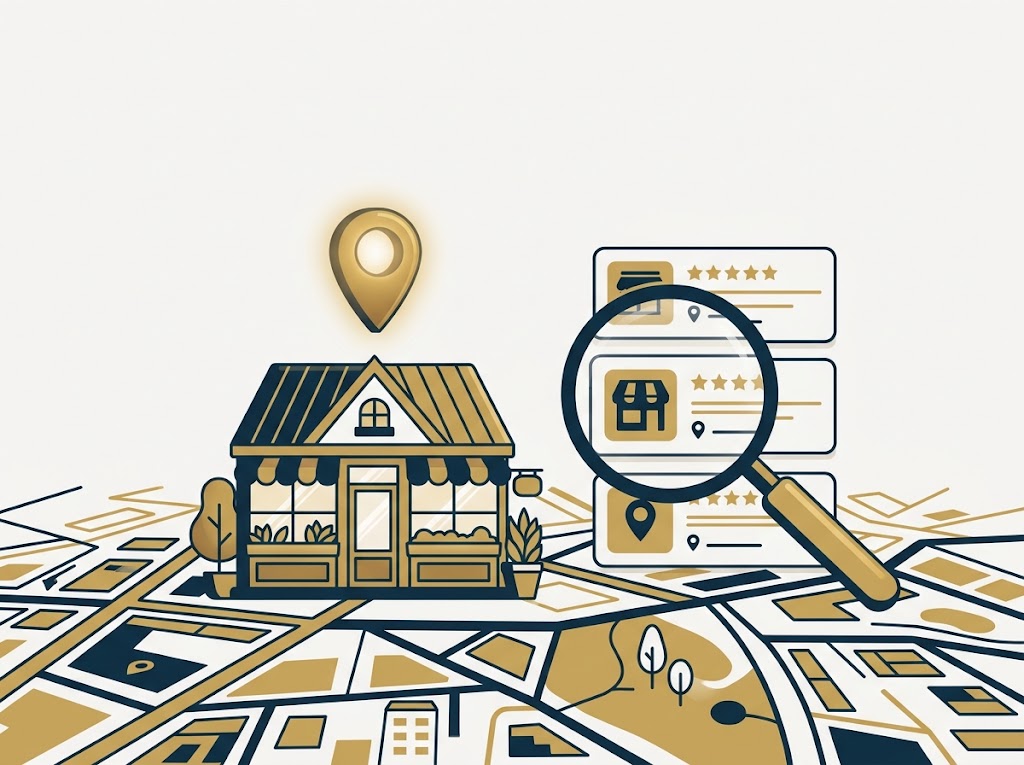
    Local SEO explained for small business owners

    Local SEO (search engine optimization) is the work of getting your business to show up when nearby customers search for what you sell. When someone types “plumber near me” or “best taco shop in Coronado,” Google decides which businesses to show at the top, on the map, and in the list below it. Local SEO is simply the set of steps that make Google confident enough to put you there. Regular SEO is about ranking a website worldwide; local SEO is about winning your town, your neighborhood, and the map.

    Why Local SEO Matters for a Small Business

    Most people who search for a local service are ready to act. They are not browsing, they are looking to call, visit, or book, often within the hour. The businesses that appear in the top few results and in the map pack (the block of three businesses Google shows with a map) capture the large majority of those clicks and calls. Everyone below the first screen splits the leftovers. That is why the gap between showing up near the top and showing up on page two is not small, it is the difference between a steady stream of new customers and near silence. The good news for a small business is that local SEO is winnable. You are not competing with the whole internet, only with the other businesses serving your area.

    The Building Blocks of Local SEO

    Local SEO looks complicated from the outside, but it comes down to a few core pieces working together.

    1. Your Google Business Profile. This is the single most important asset in local SEO. It is the free listing that powers your spot on the map and in Google search. If you have not claimed and verified yours yet, start with our guide on how to claim and verify your Google Business Profile, then run through the five things to do right after your profile goes live.

    2. Consistent listings and citations. Google cross-checks your business name, address, and phone number across the web to confirm you are real and where you say you are. When those details match everywhere, you earn trust; when they conflict, you lose it. That means claiming other directories too, including Bing Places for Business, and locking down your business name and domain so no one else muddies your listings.

    3. Reviews. Google reads both the number and the quality of your reviews as a signal of trust, and so do customers. A steady flow of recent, genuine reviews is one of the strongest and most controllable ranking factors you have.

    4. Your website. Your profile does a lot of the heavy lifting, but a fast, clear website confirms who you are, what you offer, and where you work. If you are still deciding whether you even need one, we make the case in do you even need a website for your small business, and we break down real numbers in how much a small business website costs. On the site itself, the right SEO plugin makes optimizing each page far simpler.

    5. Activity. Google favors profiles that stay active. Posting updates and photos to your Google Business Profile, answering questions, and keeping hours and services current all tell Google your business is alive and worth showing.

    Your First 90 Days: A Simple Plan

    You do not need to do everything at once. A realistic order looks like this. In the first two weeks, claim and fully complete your Google Business Profile and add real photos. In the first month, get your name, address, and phone number listed consistently on the major directories and ask your happiest recent customers for reviews. Over the next two months, keep posting to your profile, keep the reviews coming, and tighten up your website so each service and location has its own clear page. Local SEO compounds, so the steady, boring consistency is exactly what wins.

    Common Mistakes to Avoid

    Three mistakes sink more small businesses than any algorithm ever will. The first is claiming your profile and then abandoning it, so it slowly goes stale. The second is inconsistent contact details across the web, which quietly erodes Google’s trust. The third is never asking for reviews, then wondering why competitors with fifty reviews outrank you. Fix those three and you are ahead of most of your local competition.

    Local SEO FAQ

    Is local SEO free? The core of it is. Your Google Business Profile, directory listings, and asking for reviews cost nothing but time. You can pay for help or for ads, but the foundation is free.

    How long does local SEO take? Expect to see movement in a few weeks and meaningful results over a few months. It builds steadily rather than flipping on overnight.

    Do I need a website for local SEO? You can rank on the map with just a Google Business Profile, but a website strengthens your results and gives customers somewhere to learn more and take action.

    Feeling stuck? Keelmark Digital sets up and manages local SEO for small businesses so you can get back to running yours. Tell us about your business and we will map out your local search plan.

  • Your Google Business Profile Is Live. Now Do These 5 Things.

    Your Google Business Profile Is Live. Now Do These 5 Things.

    When a San Diego customer needs what you do, they almost always check Google first. What they see there, your hours, your photos, your reviews, and whether the profile looks alive, usually decides whether they call you or the shop down the street. Most owners set the profile up once and never touch it again. That is the gap, and closing it is some of the cheapest marketing you will ever do. Here is why your Google Business Profile matters more than you think, and the five things to do after setup to turn it into a steady source of local calls.

    Why your Google Business Profile does more work than your website

    Google Business Profile listing improvement for a San Diego small business

    Most people do not find you by name. They search for what they need, “commercial cleaning near me,” “plumber in Chula Vista,” and Google shows them the map and three listings before a single website. Research from BrightLocal finds the large majority of profile views come from these discovery searches, not from people typing your business name. That means your profile, not your homepage, is often the first and only thing a new customer sees.

    A complete, active profile also signals that you are open, real, and worth trusting. Google leans toward profiles that are filled out and kept current, and customers do the same. The catch is right there in the word “current.” A profile that has not posted a thing since the day it was set up looks abandoned, and an abandoned-looking business is an easy one to scroll past.

    The 5 things to do after setup

    1. Post every week

    Fresh activity is a ranking and trust signal. Businesses that post weekly see meaningfully more profile actions than those that post monthly or not at all. You do not need much: a real before-and-after photo, a seasonal offer, or a quick update. Name your city and the exact service in the text, “commercial restroom cleaning in Kearny Mesa,” so the post works for search, not just for looks.

    2. Add real photos on a schedule

    Profiles with more photos get far more clicks and direction requests. Skip the stock images. Shoot real jobs on-site, name the files by service and city before you upload, and keep adding them. A steady stream of honest, recent photos does more for trust than any tagline.

    3. Ask for reviews, and reply to every one

    Around 87 percent of people read reviews before choosing a local business. Ask happy customers for one while the job is fresh, and reply to every review you get, good or bad. Owner responses are a documented trust and ranking signal, and businesses that respond to their reviews tend to earn more than those that leave them sitting.

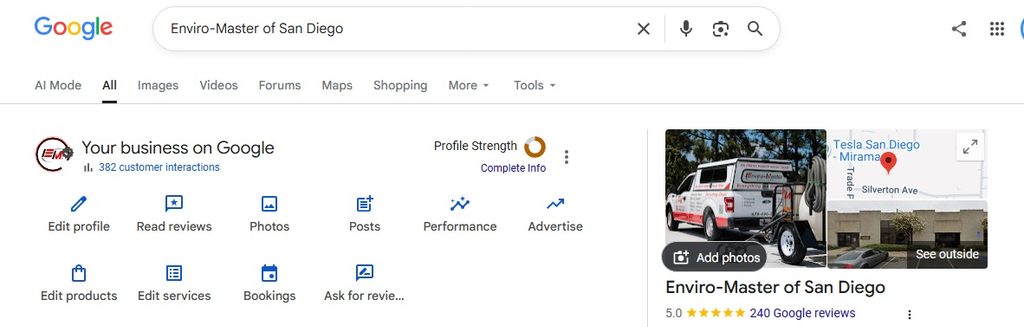
    Enviro-Master of San Diego Google Busienss Listing Management page

    4. Fill out everything, and keep it identical everywhere

    Use the exact same business name, address, and phone number on Google, Bing, Yelp, and your own site. Set your primary category and a few secondary ones, list every service, and answer the questions in the Q&A section yourself. Inconsistent details, three spellings of your business name across the web, quietly drag your ranking down and confuse customers.

    5. Track what is actually working

    Check your profile’s performance once a month, calls, direction requests, and the searches that surfaced you, and use a call-tracking number so you know which leads came from Google versus everywhere else. The simplest habit of all costs nothing: ask every new customer how they found you. One local dentist we know ran that question for a few months and cut his ad spend sharply once he realized how much was already coming from Google and word of mouth. You cannot improve what you are not measuring.

    The honest catch: it only works if you keep it up

    None of this is complicated. The reason most profiles underperform is not strategy, it is time. Owners are focused on selling and doing the work, not on backend marketing tasks, and the weekly posting is the first thing to slip. One San Diego owner we work with put it plainly: he just did not have the bandwidth for the backend, he wanted to stay focused on sales. That is completely reasonable, and it is exactly the gap that quietly costs local businesses calls every month.

    Short on time? We will run it for you

    If keeping your profile current is more than you can fit around running the business, that is exactly what our Google Business Profile Posts plan handles. We run the weekly posts and real before-and-after photos for you, name your city and service in every one, and keep your tracking number in the call to action, so you can see the leads it brings in. It starts at 99 dollars a month, and you can see it alongside our other local SEO plans on our services page.

    Frequently asked questions

    How often should I post to my Google Business Profile?

    Weekly is the practical floor. Consistency matters more than volume, so one solid post a week with a real photo beats a burst of ten and then months of silence.

    Do photos really make a difference?

    Yes, a large one. Profiles with regular, real photos get far more clicks and direction requests than bare ones. It is one of the highest-return few minutes you can spend.

    What is the single most important thing?

    Consistency. Keep the profile complete, keep the details identical everywhere, and keep it active with weekly posts and photos. A living profile beats a perfect one that has gone quiet.

    Want us to run your Google Business Profile? Talk to Keelmark
    Tell us about your business and we will reply within one business day.
  • Claim Your Business Name Before Someone Else Does: Domains, Handles, and Verification

    Claim Your Business Name Before Someone Else Does: Domains, Handles, and Verification

    Most people name their business, then get busy with everything else: the logo, the storefront, the first customers. The website and the social accounts come “later.” The problem is that your name is only yours if you actually claim it, and online, later is often too late. Handles get taken, domains get bought by people squatting on good names, and the version of your business name you wanted ends up belonging to a stranger.

    Locking down your name across the web is some of the cheapest insurance a new business can buy. Here is how to do it in the right order, ideally on day one.

    Start with the domain

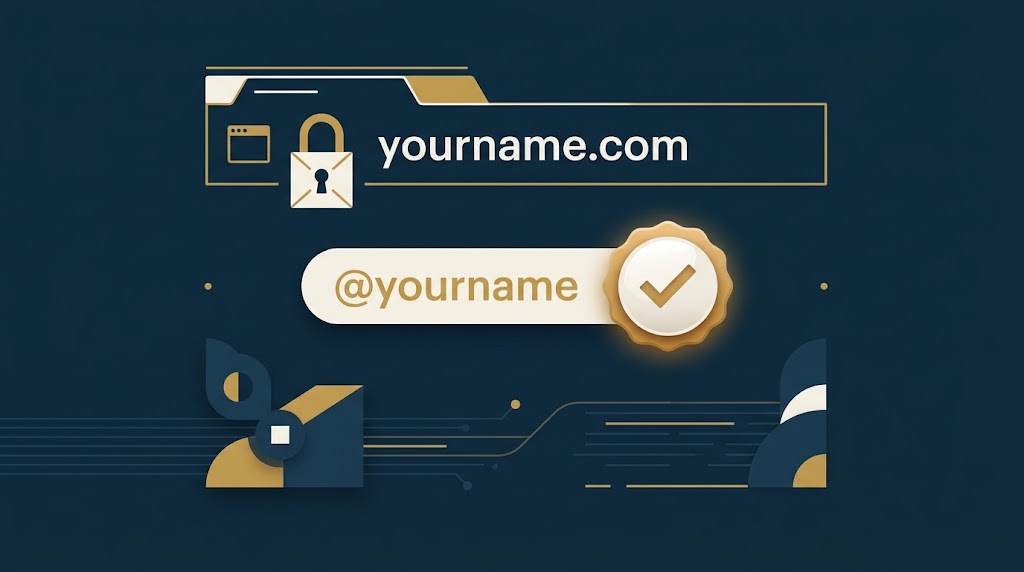
    Claim your business name early: domain, social handle, and verification checkmark

    Your domain is the one piece of your online identity you truly own, so register it first, even if the site itself is months away. Aim for the exact .com of your business name if you can get it. The .com is still what people type and trust by default, so it is worth going after before anything else.

    A few practical moves while you are in there:

    • Grab the obvious close variants if they are cheap (the hyphenated version, a common misspelling, the .co or .net). You do not need many, just enough to keep an opportunist from parking next door to you.
    • Register for a few years up front. It costs little and signals to search engines that you are here to stay.
    • Turn on domain privacy and auto-renew. A lapsed domain is one of the most painful and avoidable ways to lose your name.

    If your first choice .com is gone, it is usually better to adjust the name slightly so you can own the matching domain than to launch with a name whose .com points at someone else.

    Grab your social handles the same day

    Once the domain is yours, claim the matching handle on every platform you might ever use, even the ones you have no plans to post on yet. Reserving a handle is free, and an empty account you control is far better than watching someone else take your name.

    The goal is one consistent handle everywhere, ideally the same as your domain. When your website is yourbusiness.com and you are @yourbusiness on every platform, customers find you instantly and impersonators have nowhere to hide. Inconsistency is what confuses people and gives scammers room to pose as you.

    The platforms worth reserving for most small businesses:

    • X, Instagram, Facebook, and LinkedIn as the baseline.
    • YouTube and TikTok if video is anywhere in your future.
    • Any niche network your industry actually lives on.

    A quick way to do this is to check your desired handle across platforms at once with a free name-availability tool, pick the best version that is open nearly everywhere, and register it. Set the profile photo to your logo, add your domain to the bio, and leave the rest for when you are ready to post.

    Then think about verification

    The Keelmark Digital account on X showing a verified blue checkmark

    Once your name is secured, verification is the finishing touch that tells people the account is really you. On X, there are a few different checkmarks, and it helps to know what each one means before you pay for anything.

    The blue check comes with a paid X Premium subscription and is aimed at individuals and creators. To be eligible your account generally needs to be complete (name, photo, bio), have a confirmed phone number, be at least about 90 days old, and show recent activity, with no recent changes to your display name or handle. But, we have found the 90 day rule is not a thing anymore if you have had an X presence (and / or are verified). Pricing is a few dollars a month and varies by plan and region, so check the current X pricing page rather than trusting an old number.

    The gold check is for organizations, through X’s paid business subscription (Verified Organizations, part of X Premium Business). It marks the account as a verified business rather than an individual, and it sits at a higher price point than the individual plan. If you run the business under a brand name, this is the tier that fits, but decide whether the cost earns its keep for your size before you commit.

    The gray check is reserved for government accounts and officials and is granted by X directly, so it is not something a typical business applies for.

    For most small businesses just starting out, the honest answer is that a verified check is optional early on. Securing the handle matters far more than the badge. Reserve your name first, start building a real presence, and add verification when the added trust is worth the monthly cost. If you do want to do a badge to start, register for the lowest-tiered blue check on X from a computer (saves you 30% over the mobile).

    Your day-one checklist

    When you settle on a business name, do these before you do anything else:

    1. Register the exact-match .com (plus a cheap variant or two), with privacy and auto-renew on.
    2. Check that handle across every platform and claim it everywhere you might use it.
    3. Set each profile photo to your logo and put your domain in the bio.
    4. Decide later, not now, on paid verification once you are actively posting.

    None of this requires a finished website. It is about making sure that when you are ready to launch, your name is waiting for you instead of taken by someone else.

    Want this handled for you?

    At Keelmark Digital we set this up as part of every build, so your domain, handles, and profiles are locked down and consistent from day one. If you would rather have it handled, tell us about your business and we will map out the fastest path to launch. Not sure what a site should cost first? Here is our plain-English breakdown of what a small-business website costs.