Author: Keelmark Digital

  • How to Claim and Set Up Your Bing Places for Business Listing in 2026

    How to Claim and Set Up Your Bing Places for Business Listing in 2026

    Most small businesses in San Diego pour all their local-search energy into Google, and then stop. That is understandable, since Google is where most searches happen. But leaving Bing Places for Business empty is a quiet mistake, and in 2026 it is a bigger one than it used to be. Bing does not just power Bing.com. It feeds Microsoft Copilot, the search built into Windows, and a growing slice of the AI assistants people now ask for recommendations. When someone asks an AI tool for “a good web designer near me,” the answer often traces back to the Bing local index. If your business is not there, you are invisible in that whole lane.

    The good news is that claiming your Bing listing is genuinely quick, it is free, and if you have already set up Google, most of the work is done for you. Here is exactly how to claim and set up your Bing Places for Business listing, start to finish.

    Why Bing Places is worth 20 minutes
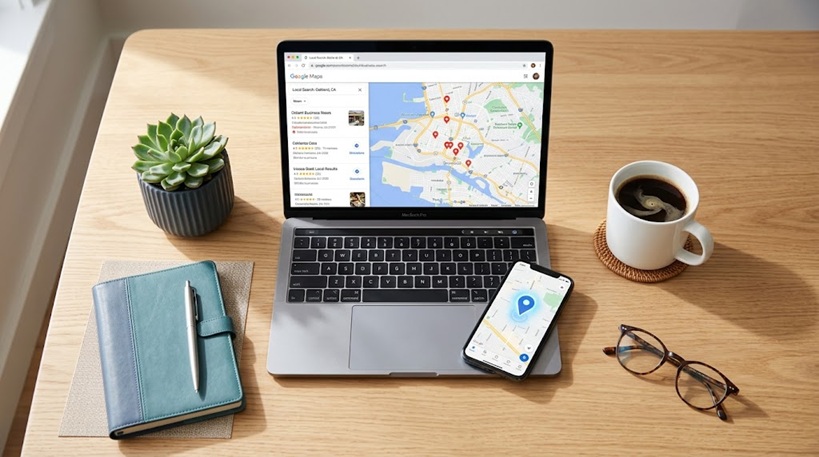
    Claiming a Bing Places for Business listing in 2026

    Two reasons stand out. First, competition on Bing is thin. Plenty of your local competitors have never claimed their Bing listing, so a complete, verified profile can rank well without much fight. Second, Bing has become the plumbing behind AI search. The tools your customers are starting to lean on read from that index, so a good Bing listing is now part of showing up in AI answers, not just on a search page a few people still use.

    If you have not claimed your Google listing yet, do that first. Our walkthrough on how to claim and verify your Google Business Profile covers it step by step, and it makes the Bing setup below almost automatic, because you can import everything from Google in one click.

    What you need before you start

    Have three things ready. A Microsoft account tied to your business email address rather than a personal one, so ownership is clean if you ever hand it to a team member. Your exact business name, address, and phone number, written the same way they appear on your Google listing, right down to “Street” versus “St.” And a way to receive a verification code, which usually means access to your business phone or email.

    That last detail about matching matters more than it looks. If your name, address, and phone read even slightly differently across Google and Bing, search engines can treat them as two different businesses, and both listings lose trust. Consistency is the whole game in local search.

    Step 1: Sign in at Bing Places

    Go to the Bing Places for Business site and sign in with your Microsoft account. If you do not have one, you can create it with your business email in a couple of minutes. Once you are in, you will land on a dashboard that asks whether you want to import an existing listing or start a new one.

    Step 2: Import from Google (the shortcut)

    If your Google Business Profile is already set up and verified, choose the import option. Bing will ask you to sign in to Google and authorize access, then it pulls your name, address, phone, hours, categories, and photos straight across and pre-fills every field. This is the single biggest time-saver in the whole process, and it is the reason we always tell clients to finish Google first.

    No Google listing yet, or you would rather build it by hand? Choose the option to add a new business and enter your details manually. It takes longer, but the fields are the same ones described below.

    Step 3: Check every field, then check the address

    Whether you imported or typed it, read through the imported profile carefully. Confirm the business name, phone, website, and hours all came across correctly. Pay special attention to your primary category, since that is one of the strongest signals for what searches you show up in. Pick the category that most precisely describes what you do rather than a broad catch-all.

    Then handle your address honestly based on how you operate. If you have a storefront customers visit, keep the address public. If you work from home or travel to clients, which is the case for a lot of San Diego service businesses, set yourself up as a service-area business and hide the street address. You still show up for your area, but your home address stays private. This mirrors exactly what you should have done on Google.

    Step 4: Add hours, photos, and a strong description

    Fill in your regular hours and, if it applies, your holiday hours, since nothing frustrates a customer like driving to a closed business. Add photos, and add more than you think you need. A listing with ten or more real photos looks established and trustworthy, and Bing gives you a cover photo slot, so choose your best, clearest image for that spot. Round it out with a plain-English description of what you do and who you serve.

    Step 5: Verify your listing

    Bing offers a few ways to prove the business is yours. Phone verification is usually instant, with an automated call or text reading you a code. Email verification, when it is offered, takes only a few minutes. If neither is available for your business, Bing falls back to a mailed postcard with a code, which takes about five to seven business days in the US. Choose the fastest method you can, enter the code, and you are verified.

    Step 6: Publish and wait for indexing

    Once everything looks right and you are verified, submit the listing. Bing typically indexes new listings within about 24 to 72 hours, and the AI tools that read from Bing pick it up on their next crawl after that. So do not panic if you do not see it the same afternoon. Give it a few days.

    Keep it active once it is live

    A claimed listing is the start, not the finish. Add fresh photos now and then, keep your hours accurate, and respond to any reviews. If you are already creating posts to promote your business, a social scheduling tool makes it easy to push updates about your new listing across your networks without doing it by hand. We use Fedica for this, and it is a clean, affordable way for a small business to stay visible. (That is an affiliate link, so we may earn a small commission if you sign up, at no extra cost to you. We only recommend tools we actually use.)

    How Bing fits your bigger local-SEO picture

    Think of your local presence as a set of matching listings across the major platforms: Google, Bing, Apple, and Yelp. When your name, address, phone, and website are identical everywhere, search engines and AI tools trust the information, and you rank better across all of them. Bing is one of the four cornerstones, and it is the one most of your competitors have skipped.

    Once your listings are solid, the next lever is your website itself. If yours needs work, our guides on the best SEO plugin for small business WordPress sites and what a small business website actually costs in San Diego are good next reads.

    Your free Bing Places setup checklist

    We put the whole process on a one-page printable checklist so you can work through it and tick off each step. Print it, keep it by your desk, and you will have a complete, verified Bing listing by the end of the afternoon.


    Keelmark Digital is a veteran-owned web design and SEO studio in San Diego. We help local small businesses get found, look professional, and win more customers online. If you would rather have your local listings set up and optimized for you, get in touch and we will take it off your plate.
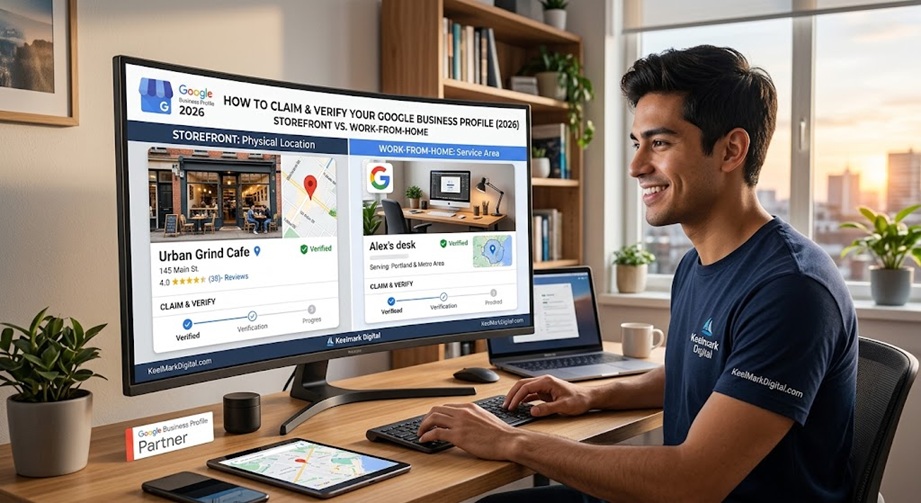
  • How to Claim and Verify Your Google Business Profile in 2026 (Storefront and Home-Based)

    How to Claim and Verify Your Google Business Profile in 2026 (Storefront and Home-Based)

    If you run a small business in 2026, your Google Business Profile is often the very first thing a potential customer sees – before your website, before your social pages. It is free, it feeds Google Search and Google Maps, and a complete, verified profile is one of the highest-return hours you can spend on your online presence. This guide walks you through claiming and verifying your profile step by step, whether you run a storefront or work from home.

    What a Google Business Profile Is (and Why It Matters)

    How to claim your Google Business Profile in 2026

    A Google Business Profile (formerly Google My Business) is the free listing that shows your business on Google Search and Maps: your name, hours, phone, website, photos, reviews, and directions. When someone searches your business by name, or searches for what you do nearby, this profile is what appears. No website replaces it, and no amount of social media makes up for not having it. Even if you are still deciding whether you need a website, claiming your profile should come first.

    Before You Start: What You Need

    • A Google account you will keep long term, ideally a business email.
    • Your exact business name, as you use it publicly.
    • Your address (storefront) or the areas you serve (home-based).
    • A phone number and, if you have one, your website URL.
    • Your primary business category in mind.

    How to Claim Your Google Business Profile

    1. Sign in to the Google account you want to own the profile.
    2. On Google Search or Maps, search your business name. If a listing already exists, open it and look for Claim this business or Own this business?
    3. If no listing exists, go to google.com/business and choose Add your business to Google.
    4. Enter your business name and category, then choose whether you serve customers at an address, at their locations, or both.
    5. Add your phone number and website, then continue to verification.
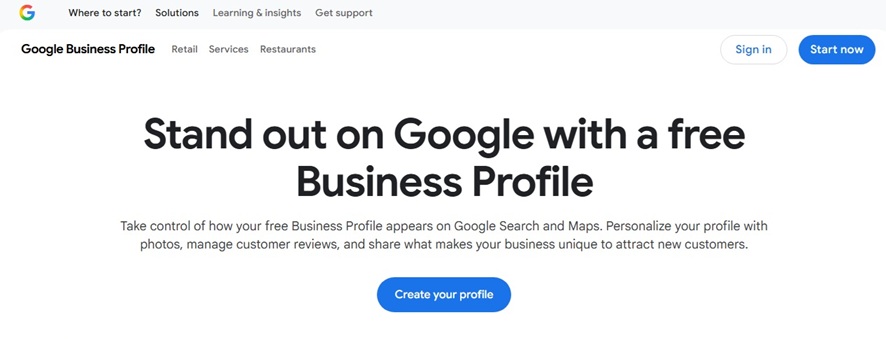
    Google Business Profile
    Where to get started claiming your Google Business Profile.

    Storefront vs. Home-Based: The Address Question

    This is where most new owners get stuck. If customers visit you at a fixed location, you are a storefront: enter your street address and it shows on Maps. If you work from home or travel to customers – a contractor, consultant, mobile service, or an agency like ours – you are a service-area business. Do not publish your home address. Instead, hide the address and set the cities or regions you serve. Google lets you list a service area with no visible pin, which keeps your home private while still letting you rank for local searches.

    How Verification Works in 2026 (and Why You Cannot Pick the Method)

    Verification proves the business is really yours. One thing to know first: you usually cannot choose your method. Google assigns it based on your business category, how much spam risk that industry carries, and how much it already trusts your account. Here are the methods you may be offered, fastest to slowest.

    1. Instant (automated) verification

    If you already own and have verified your website in Google Search Console under the same Google account, Google often trusts the business and verifies your profile instantly with one click. This is common for digital agencies and established web properties, and it is why some businesses breeze through in seconds.

    2. Video recording (the default for most new listings)

    Video verification has largely replaced the postcard as Google’s standard anti-spam method. It must be a single continuous take (unedited, no cuts), at least 30 seconds, filmed on a phone or tablet through the Google Business Profile app while signed in.

    Storefronts show: surrounding street signs, your building number and neighboring stores; permanent exterior signage or window decals that match your business name; and proof of access such as unlocking doors, entering employee-only areas, or using the register or point-of-sale.

    Service-area and home-based businesses show: nearby street signs or house numbers that confirm your area; tools of the trade such as a branded vehicle, equipment, workspace, or branded invoices and cards; and proof of operations such as a business license, registration documents, a utility bill, or logging in to your business software. Keep your home address off screen if you are hiding it.

    3. Phone or text code

    Google sends an automated call or text with a six-digit code to your official business number. Use a direct line if you can; automated phone trees (IVR) often fail to capture the code.

    4. Work domain email

    Google emails a PIN to an address on your business domain (for example, info@yourdomain.com). This is usually reserved for businesses with an established footprint and a custom-domain email; generic gmail.com addresses rarely qualify.

    5. Live video call

    For rejected recordings or higher-risk categories such as locksmiths, plumbers, and garage-door services, Google may schedule a live Google Meet where a specialist asks you to walk the premises, show ID, demonstrate point-of-sale or inventory access, and show registration paperwork.

    6. Postcard (legacy)

    Google mails a postcard with a five-digit PIN to your address in about five to fourteen business days. It still exists, but Google has phased it down in favor of real-time video to cut delays and fraud.

    Google usually reviews video verifications within about five business days. Whatever method you are assigned, keep your business name, address, and phone identical across your website and every directory so nothing looks mismatched.

    After You Are Verified: Make the Profile Actually Rank

    Verification gets you listed. Showing up ahead of competitors takes a complete, active profile. Set your primary category carefully – it is the single biggest ranking lever – then fill in everything: hours, an honest description, services, and real photos. Ask happy customers for reviews and reply to them. One thing that surprises owners: Google Business posts are good for engagement but are not a meaningful ranking factor, so completeness, categories, and reviews matter far more than how often you post.

    Why New Listings Fail Verification or Get Suspended

    • The business name on your sign or website does not match the name on the profile.
    • Poor or edited video, or missing required shots.
    • A home address left visible on a service-area business.
    • Extra keywords stuffed into the business name.
    • Inconsistent name, address, or phone across your website and directories.

    Do Not Forget Bing

    Google is the priority, but Bing Places for Business is a free listing most small businesses skip, and it feeds Bing, Windows search, and some AI assistants. We will cover it in a follow-up guide.

    Frequently Asked Questions

    Is a Google Business Profile free?

    Yes. Claiming, verifying, and managing your profile is completely free.

    Can I have a profile without showing my home address?

    Yes. Set up as a service-area business, hide the address, and list the areas you serve.

    How long does verification take?

    Video and most other methods are usually reviewed within about five business days; postcards take longer.

    Do I still need a website if I have a Google Business Profile?

    They do different jobs. Your profile helps people find you; your website is where you win the sale. See our take on whether you need a website and what one costs in San Diego.

    Want this done right the first time? Keelmark Digital helps San Diego small businesses claim, verify, and optimize their Google Business Profile, then build the website and SEO foundation behind it (we are partial to a well-configured SEO plugin). Once Google is claimed, do the same on Bing with our guide to claiming your Bing Places for Business listing. Reach us at contact@keelmarkdigital.com or (619) 436-4091 to get found on Google.

  • The Best SEO Plugin for Small Business WordPress Sites in 2026

    The Best SEO Plugin for Small Business WordPress Sites in 2026

    If you run a small business, you already wear every hat: owner, marketer, bookkeeper, and, somehow, part-time IT department. Search engine optimization tends to be the hat that gets left on the rack. It feels technical, it moves slowly, and there is always something more urgent. The good news is that the best SEO plugin for small business owners does most of the heavy lifting for you, so you can get the fundamentals right without becoming an SEO specialist.

    We build and maintain WordPress sites for a living, and we get asked the same question constantly: “Which SEO plugin should I actually use?” Our answer in 2026 is All in One SEO, usually shortened to AIOSEO. Here is why it is our pick for small business owners, who it is best for, and how to get started.

    Disclosure: This post contains affiliate links. If you buy AIOSEO through them, Keelmark may earn a commission at no additional cost to you. We recommend AIOSEO because we install it on our own sites and our clients’ sites, not because of the commission. If it were not the tool we reach for first, it would not be in this post.

    Why a small business needs an SEO plugin at all

    WordPress is powerful, but out of the box it does not tell search engines much about your pages. An SEO plugin fills that gap. It handles the behind-the-scenes signals that help Google understand and rank your site: page titles and meta descriptions, XML sitemaps, structured data, and clean technical markup. For a local or small business, it also handles the details that help you show up when someone nearby searches for what you sell.

    You can do a lot of this by hand. Most small business owners should not have to. A good plugin turns hours of technical setup into a guided process and then keeps working quietly in the background. If you are still deciding whether your business even needs a full website yet, we covered that in an earlier post.

    AIOSEO, the best SEO plugin for small business WordPress sites, recommended by Keelmark Digital

    Why AIOSEO is the best SEO plugin for small business

    AIOSEO is used on more than 3 million websites and bills itself as the world’s leading WordPress SEO plugin. Popularity alone is not a reason to choose software, but in this case it lines up with what we see in practice. It is the plugin we trust to get a small business site set up correctly and keep it that way. A few reasons it earns that spot:

    • It is genuinely beginner friendly. AIOSEO walks you through a setup wizard the first time you activate it. You answer a handful of plain-language questions about your business, and it configures sensible defaults for you. You are not left staring at a wall of technical settings wondering which ones matter.
    • On-page guidance that makes sense. Its TruSEO analysis gives each page a clear score and a checklist of specific, readable suggestions as you write, such as where to add your keyword or how to tighten a meta description. It teaches you good habits instead of just grading you.
    • Local SEO built in. This is the feature that matters most for a lot of small businesses. AIOSEO helps you add your business hours, locations, and contact details in the structured format Google wants, which supports your visibility in local search and on Google Maps. If your customers are in your town, this is worth the price on its own.
    • Schema without the headache. Structured data is how you earn rich results like star ratings and FAQs in search. AIOSEO generates it automatically, so you get the benefit without touching code.
    • Sitemaps and search stats. It creates and maintains smart XML sitemaps so search engines can find every page, and it can surface your Google Search Console stats right inside your WordPress dashboard.
    • Internal linking help. Its Link Assistant suggests places to link between your own pages, which is one of the most underrated and easily neglected SEO tasks for a growing site.

    Free or paid: what a small business actually needs

    AIOSEO has a free version in the WordPress plugin directory, and it is a legitimate starting point. For a brand-new site with a handful of pages, the free version covers the basics well.

    Most small businesses grow into the paid version fairly quickly, because the features that move the needle locally, such as Local SEO, richer schema, and the redirection manager, live in the paid tiers. Recent introductory pricing started around $49.50 per year for a single site, with higher tiers for more sites and more advanced tools. Prices and promotions change, so check the current AIOSEO pricing before you buy. For a business that depends on being found online, the paid plan is one of the easier marketing expenses to justify.

    How it compares to Yoast and Rank Math

    We want to be straight with you: AIOSEO is not the only good option. Rank Math and Yoast are both capable plugins, and plenty of sites run happily on either. Rank Math packs a lot of features into its free tier, and Yoast has been the default choice for years and has a huge base of tutorials.

    We land on AIOSEO for small business owners specifically because of how it balances power with approachability. The setup wizard, the plain-language guidance, and the local SEO tools make it the one we can hand to a busy owner without a long training session. If you are technical and love to tinker, you might prefer Rank Math. If you want the tool that gets a real business set up correctly with the least friction, AIOSEO is where we point people.

    Getting started

    1. Install AIOSEO from your WordPress dashboard, or start with the paid version if you already know you want Local SEO.
    2. Run the setup wizard and answer the questions about your business.
    3. Add your business details for local SEO, including hours, location, and contact info.
    4. Open a few of your most important pages and follow the TruSEO suggestions.
    5. Connect Google Search Console so you can watch your progress.

    That is a single afternoon of work that pays off for years, and it is why we keep recommending AIOSEO as the best SEO plugin for small business owners who want results without the learning curve.

    Need a hand?

    If you would rather have this set up correctly the first time, that is exactly the kind of thing we do at Keelmark. We can install and configure AIOSEO on your site, get your local SEO dialed in, and make sure the technical foundations are solid. Start a project and we will take it from there.

    Frequently asked questions

    Is AIOSEO good for beginners?

    Yes. Its setup wizard and plain-language, on-page guidance make it one of the most approachable SEO plugins for people who are not SEO specialists.

    Do I need the paid version?

    Not to start. The free version covers the basics. Most small businesses upgrade for Local SEO, advanced schema, and the redirection manager, which are the features that matter most for getting found locally.

    Is AIOSEO better than Yoast or Rank Math?

    All three are solid. We recommend AIOSEO for small business owners because it balances powerful features with a genuinely easy setup, especially its local SEO tools.

  • Do You Even Need a Website for Your Small Business in 2026?

    Do You Even Need a Website for Your Small Business in 2026?

    It is a fair question, and more owners ask it than you would guess. You already have a Facebook page, maybe an Instagram, and you just claimed your Google Business Profile. People can find you, message you, and see your hours. So do you really need a website for your small business on top of all that in 2026?

    Here is the honest answer, with no sales pitch buried in it: for most small businesses, yes, you still need a website, but the reason is probably not the one you have heard. Let us walk through when you might get away without one, and what a real website actually does that a rented social page or a map listing never will.

    The honest part first: when you might not need a website for your small business yet

    Do you need a website for your small business? A small storefront with a browser window sign above it.

    A good web studio should be willing to tell you when to wait, so here it is. There are a few cases where a website can sit on the back burner for a little while:

    • You are testing a brand new idea and just want to see if anyone bites. A single landing page, or even a complete Google Business Profile, can validate demand before you invest in a full site.
    • You are a purely walk-in local spot, like a food cart or a chair you rent, where a strong Google profile and a steady stream of five star reviews genuinely do most of the heavy lifting.
    • You are already booked solid on word of mouth and you are not trying to grow.

    If one of those is you, spend your energy on your Google Business Profile and your reviews first. That is the honest move. But if you plan to grow, sell online, win larger or repeat clients, or simply stop losing customers to competitors who look more established, a website stops being optional. Here is why.

    Why a real website still wins in 2026

    1. You own it, and nobody can take it away

    This is the big one. A social page is rented land. The platform sets the rules, throttles your reach, changes the algorithm, and can suspend your account with no warning and no phone number to call. Your website is the one piece of your online presence that you actually own. It is the storefront no platform can lock you out of or quietly charge you to be seen on. Everything else you build online should point back to it.

    2. It is where people decide whether to trust you

    Before someone calls, books, or hands you money, they check you out. When they cannot find a real website, or they land on a page that looks unfinished, a quiet doubt creeps in. A clean, professional site does the opposite: it tells a first time visitor that you are established, that you take your work seriously, and that you will still be here next year. For a lot of buyers, that reassurance is the difference between a message and a bounce.

    3. It is how you get found on Google, not just on social

    Your Google Business Profile and your website are teammates, not rivals. The profile helps you show up on the map, and the website gives Google real pages to rank when someone searches for what you do. Social posts disappear down the feed in a day. A well built page can bring in customers for years. If you want to be found by people who are searching right now with their wallet out, you need pages that Google can read, rank, and link to.

    4. It works for you around the clock

    A website does not sleep. It answers the common questions, shows your prices or your process, takes a booking, collects a quote request, or makes a sale while you are on a job or off the clock. Set up well, it quietly turns curious visitors into paying customers without you touching your phone.

    5. It makes every other channel work harder

    Your business card, your van wrap, your Instagram bio, your Google ad: they all need somewhere to send people. When that somewhere is a website you control, every dollar you spend on marketing works harder, because it lands on a page built to turn a visitor into a customer instead of on a feed built to keep them scrolling.

    What a real website actually needs to do

    Here is the good news: a website that works does not need to be huge or complicated. It needs to do a few simple things well.

    • Say clearly what you do and who you help, right at the top, in plain language.
    • Show proof: reviews, real photos of your work, credentials, and anything that builds trust.
    • Make getting in touch effortless, especially on a phone, with a tap to call or a short contact form.
    • Load fast and look right on mobile, where most of your visitors actually are.
    • Be findable: proper page titles, local keywords, and a clean connection to your Google Business Profile.

    That is it. A focused five page site that nails those basics will outperform a sprawling, slow, hard to update one every time. If you want a realistic sense of what that costs, we broke it down in our guide to how much a small business website costs in San Diego.

    You do not have to build it yourself

    The reason a lot of owners put this off is not that they doubt a website matters. It is that building and maintaining one sounds like one more full time job on top of running the business. It does not have to be. That is exactly what we do at Keelmark Digital. We are a veteran owned studio, and we design, launch, and look after professional websites so you can get back to running your business instead of babysitting your website. You own everything, there is no lock in, and the ongoing care is handled for you.

    If you are weighing whether it is time, take a look at what we build and how our pricing works. And if you would rather just talk it through with someone who will give you a straight answer, we are happy to do that too.

    The bottom line

    Could you technically run a small business with no website in 2026? In a few narrow cases, for a little while, yes. But for almost everyone who wants to grow, look credible, and get found on Google, a real website is still the smartest, most durable investment you can make in your online presence. It is the one piece you truly own, and it makes everything else you do work better.

  • How Much Does a Small Business Website Cost in San Diego? (2026 Guide)

    How Much Does a Small Business Website Cost in San Diego? (2026 Guide)

    If you run a small business in San Diego and you have started pricing out a website, you have probably hit a frustrating answer: it costs anywhere from a few hundred dollars to tens of thousands. That range is real, but it does not help you plan. So here is a plain breakdown of small business website cost in San Diego in 2026: what you can expect to pay, what pushes the price up or down, and the ongoing costs most guides leave out.

    Small business website cost in San Diego: the short answer

    What a small business website costs in San Diego, 2026 pricing guide

    Most local small business websites fall into one of these buckets:

    OptionTypical San Diego costBest for
    DIY builder (Wix, Squarespace)$200 to $800 per yearA solo owner happy to build and maintain it themselves
    Template WordPress site$1,200 to $3,500 one-timeA simple, professional presence without custom design
    Custom small business site$2,500 to $8,000 one-timeMost established small businesses that want a real, SEO-ready site
    Custom e-commerce$6,000 to $18,000 one-timeOnline stores
    Full agency / enterprise$12,000 to $40,000+Larger companies with complex needs

    San Diego pricing tracks close to the California average, usually a little under the big-metro rates in Los Angeles or the Bay Area. A typical small business build takes about four to six weeks.

    Why the range is so wide

    The gap between a few hundred dollars and tens of thousands comes down to a handful of things:

    • Number of pages. A five-page site costs far less than a thirty-page one.
    • Custom design vs a template. A design built around your brand takes more hours than dropping content into a theme.
    • Copywriting. Words written to actually sell add cost, but usually pay for themselves.
    • Functionality. Booking, payments, memberships, and integrations all add hours.
    • SEO. A site set up to be found on Google is worth more than a pretty brochure nobody visits.

    The costs most people forget

    The build price is only half the picture. A website is not a one-time purchase, it is something that has to be hosted, secured, and kept up to date. Budget for these ongoing costs too:

    • Hosting and domain: roughly $10 to $40 a month, depending on the host.
    • Maintenance and care: updates, backups, and security typically run $50 to $250 a month, and skipping it is how sites get hacked or break.
    • Ongoing SEO, if you want to actively climb in search, is a separate monthly service.

    The businesses that get burned are usually the ones who pay for a build, skip the upkeep, and come back a year later to a broken or hacked site. It is a lot cheaper to maintain a site than to rescue one.

    What most San Diego small businesses actually need

    Here is the honest version: most local small businesses do not need a $15,000 site. They need a clean, fast, mobile-ready site of about five to ten pages, written clearly, set up for local SEO, and paired with someone who keeps it running. That usually lands in the low thousands to build, plus a modest monthly plan to maintain. Spend much less and you are often on your own when something breaks. Spend a lot more and you are usually paying for features you will not use. For most owners, that range is the small business website cost in San Diego that actually makes sense. It also pays to claim your free Google Business Profile, since that listing is often where local customers find you before they ever reach your site.

    How we keep it affordable and transparent

    We built Keelmark Digital for exactly this spot in the market: small businesses that want a professional site without agency prices or agency runaround. Our builds start at $899, our care plans start at $49 a month, and every price is listed right on our services page, with no “contact us for a quote” games. Every site is yours to keep with full editor access, and we handle the hosting, security, updates, and edits so you never have to touch the tech. We are veteran-owned and based right here in San Diego.

    Frequently asked questions

    Do I have to pay monthly, or just once?

    Both. There is a one-time build cost, then a smaller monthly cost to host and maintain the site. You can maintain it yourself, but most owners would rather hand that off.

    Do I actually own my website?

    With us, yes, and it stays yours. The site is yours to keep with full editor access, and if you ever decide to move it elsewhere, you take it with you. There is no lock-in: you leave with your files and full access. If you would like us to handle the actual move, we can do the migration for you as a one-time project. Some DIY platforms effectively lock you in, so it is worth asking that ownership question of anyone you hire.

    How long does a small business site take?

    Usually about four to six weeks, depending on how many pages you need and how quickly we get your content.

    Is a cheaper website automatically worse?

    Not automatically. A lower price can simply mean a leaner scope or lower overhead. What matters is whether it is built well, set up for SEO, and maintained. Cheap and unmaintained is the combination to avoid.

    Want a straight answer for your specific business? See our pricing and plans, and we will recommend the right build and care plan for your budget.