
When a San Diego customer needs what you do, they almost always check Google first. What they see there, your hours, your photos, your reviews, and whether the profile looks alive, usually decides whether they call you or the shop down the street. Most owners set the profile up once and never touch it again. That is the gap, and closing it is some of the cheapest marketing you will ever do. Here is why your Google Business Profile matters more than you think, and the five things to do after setup to turn it into a steady source of local calls.
Why your Google Business Profile does more work than your website

Most people do not find you by name. They search for what they need, “commercial cleaning near me,” “plumber in Chula Vista,” and Google shows them the map and three listings before a single website. Research from BrightLocal finds the large majority of profile views come from these discovery searches, not from people typing your business name. That means your profile, not your homepage, is often the first and only thing a new customer sees.
A complete, active profile also signals that you are open, real, and worth trusting. Google leans toward profiles that are filled out and kept current, and customers do the same. The catch is right there in the word “current.” A profile that has not posted a thing since the day it was set up looks abandoned, and an abandoned-looking business is an easy one to scroll past.
The 5 things to do after setup
1. Post every week
Fresh activity is a ranking and trust signal. Businesses that post weekly see meaningfully more profile actions than those that post monthly or not at all. You do not need much: a real before-and-after photo, a seasonal offer, or a quick update. Name your city and the exact service in the text, “commercial restroom cleaning in Kearny Mesa,” so the post works for search, not just for looks.
2. Add real photos on a schedule
Profiles with more photos get far more clicks and direction requests. Skip the stock images. Shoot real jobs on-site, name the files by service and city before you upload, and keep adding them. A steady stream of honest, recent photos does more for trust than any tagline.
3. Ask for reviews, and reply to every one
Around 87 percent of people read reviews before choosing a local business. Ask happy customers for one while the job is fresh, and reply to every review you get, good or bad. Owner responses are a documented trust and ranking signal, and businesses that respond to their reviews tend to earn more than those that leave them sitting.
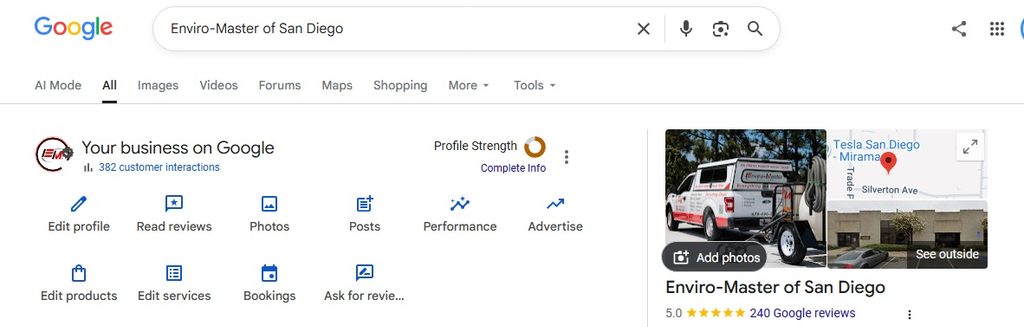
4. Fill out everything, and keep it identical everywhere
Use the exact same business name, address, and phone number on Google, Bing, Yelp, and your own site. Set your primary category and a few secondary ones, list every service, and answer the questions in the Q&A section yourself. Inconsistent details, three spellings of your business name across the web, quietly drag your ranking down and confuse customers.
5. Track what is actually working
Check your profile’s performance once a month, calls, direction requests, and the searches that surfaced you, and use a call-tracking number so you know which leads came from Google versus everywhere else. The simplest habit of all costs nothing: ask every new customer how they found you. One local dentist we know ran that question for a few months and cut his ad spend sharply once he realized how much was already coming from Google and word of mouth. You cannot improve what you are not measuring.
The honest catch: it only works if you keep it up
None of this is complicated. The reason most profiles underperform is not strategy, it is time. Owners are focused on selling and doing the work, not on backend marketing tasks, and the weekly posting is the first thing to slip. One San Diego owner we work with put it plainly: he just did not have the bandwidth for the backend, he wanted to stay focused on sales. That is completely reasonable, and it is exactly the gap that quietly costs local businesses calls every month.
Short on time? We will run it for you
If keeping your profile current is more than you can fit around running the business, that is exactly what our Google Business Profile Posts plan handles. We run the weekly posts and real before-and-after photos for you, name your city and service in every one, and keep your tracking number in the call to action, so you can see the leads it brings in. It starts at 99 dollars a month, and you can see it alongside our other local SEO plans on our services page.
Frequently asked questions
How often should I post to my Google Business Profile?
Weekly is the practical floor. Consistency matters more than volume, so one solid post a week with a real photo beats a burst of ten and then months of silence.
Do photos really make a difference?
Yes, a large one. Profiles with regular, real photos get far more clicks and direction requests than bare ones. It is one of the highest-return few minutes you can spend.
What is the single most important thing?
Consistency. Keep the profile complete, keep the details identical everywhere, and keep it active with weekly posts and photos. A living profile beats a perfect one that has gone quiet.

Leave a Reply